Terminal Status: User Guide
1765896374117
Terminal Status: User Guide
Overview
Terminal Status allows administrators to define which Traffic Log Statuses represent the end of a customer’s buying cycle. When a traffic entry reaches a terminal status, DealerMine CRM prevents new First Visit or Be‑Back entries on that closed traffic, ensuring clean and accurate lifecycle tracking.
What Terminal Status Means
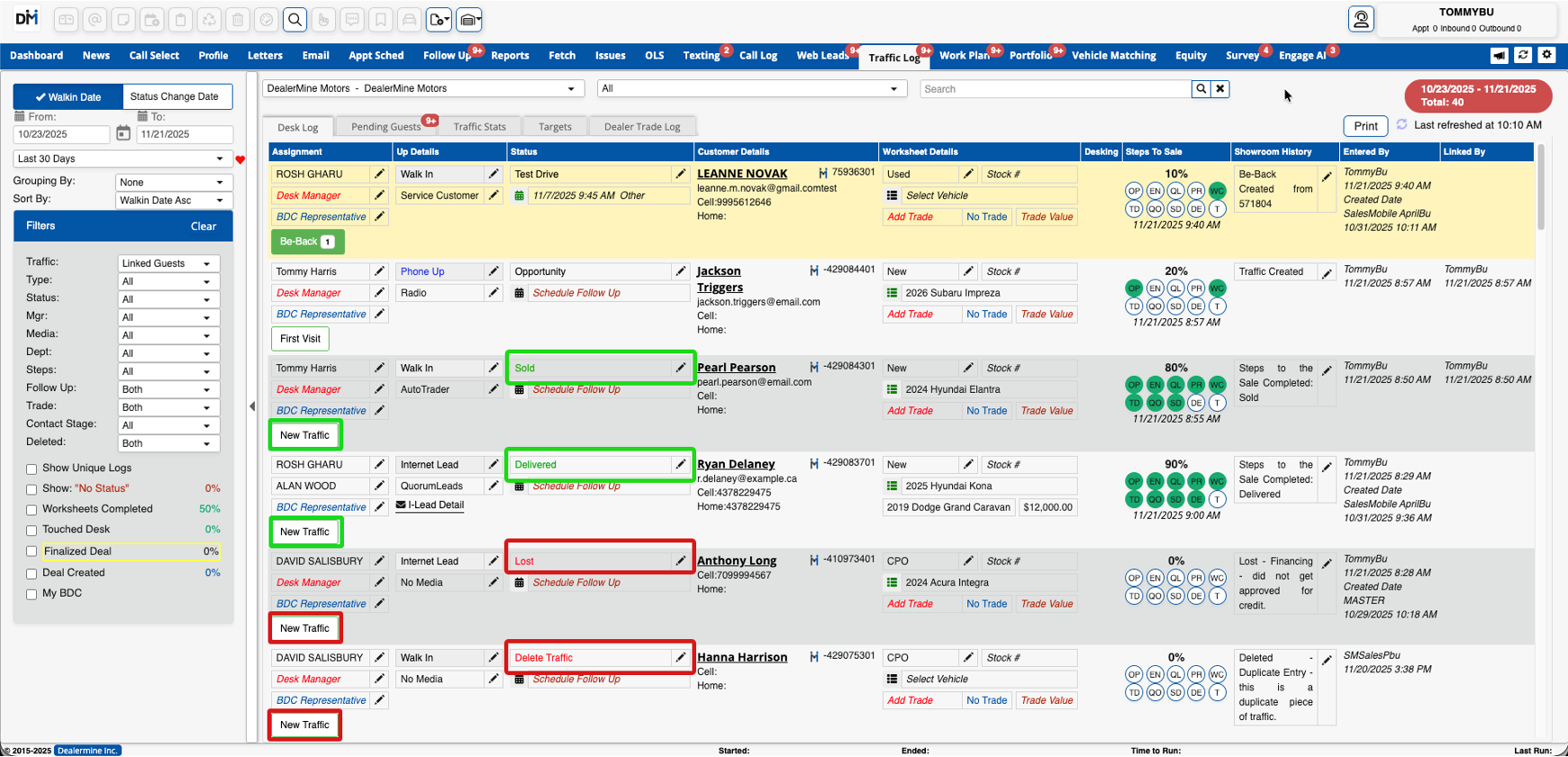
A Terminal Status is a Traffic Log Status that indicates the end of a customer's current buying journey. Terminal statuses prevent new First Visits or Be-Backs from being added. Users will instead begin a clean buying cycle using the New Traffic button.
Why Terminal Status Was Created
Terminal Status solves several dealership workflow problems:
Users creating traffic on closed deals
Inaccurate lifecycle KPIs
Bad traffic attribution
OEM reporting inconsistencies
Lack of admin control over lifecycle endpoints
How Terminal Status Works
Once a Traffic Log Status is marked as terminal, any traffic record with that status is treated as closed. DealerMine CRM will:
Hide First Visit and Be‑Back actions
Display a New Traffic button
Start a clean traffic cycle with no historical carryover
Carry forward only customer and salesperson information

How to Configure Terminal Status
To configure Terminal Status:
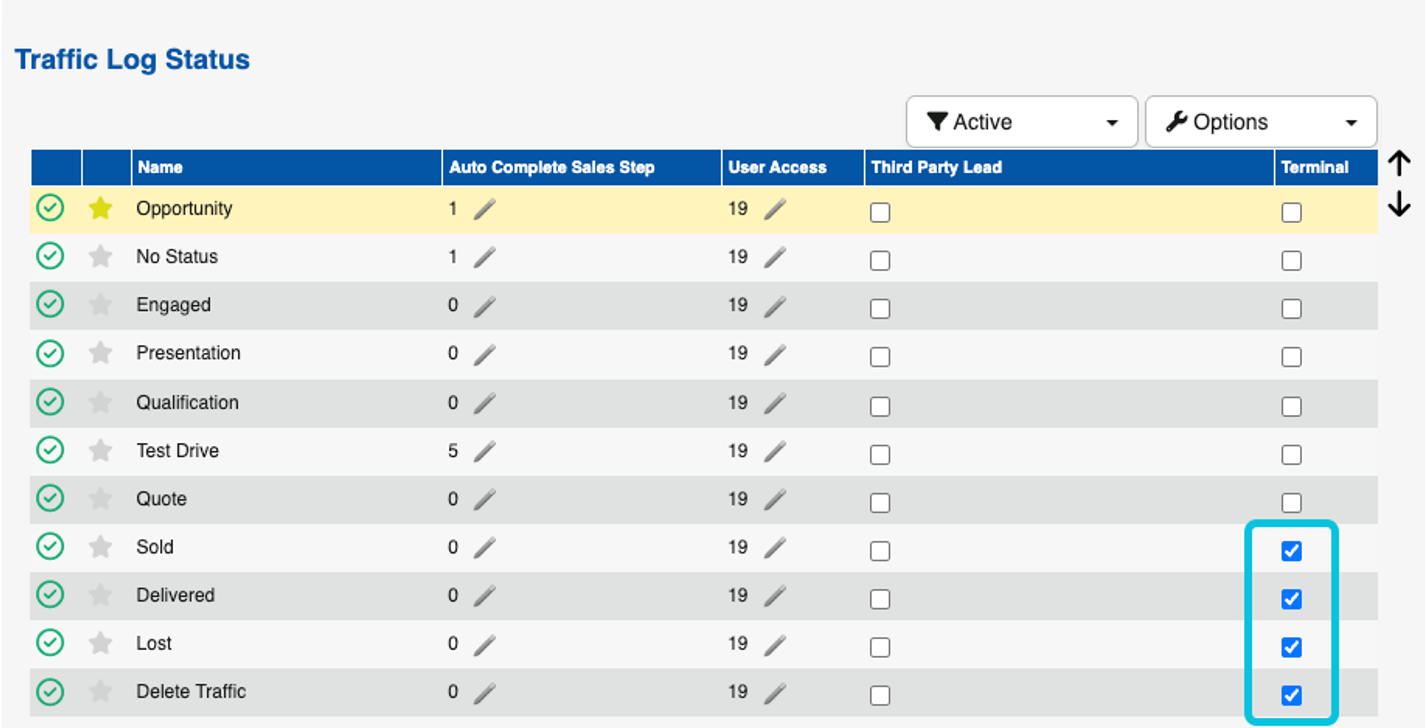
Showroom Configuration → Traffic Log Status
Each status includes a Terminal checkbox. Checking this identifies the status as the end of the buying cycle. Recommended terminal statuses include Sold, Delivered, Lost, Delete Traffic, etc.
Where Terminal Status Is Enforced
Terminal Status applies consistently across:
Add Up
Traffic Log (main screen)
Traffic Log History (Profile)
Add Up Window Behavior
In Add Up:
Customers appear in search results
Terminal traffic entries do not show
If the last traffic status is terminal, the only option the user sees is Log New Traffic/Log New Worksheet

Key Benefits for Dealerships
Terminal Status provides:
Accurate KPI reporting
Clean customer history
Prevention of data-entry mistakes
Better OEM and executive reporting
Increased admin control
Top 5 Reasons Terminal Status Matters
Protects sales lifecycle accuracy.
Ensures reliable reporting for KPIs and OEM submissions.
Prevents salesperson mistakes that corrupt historical data.
Simplifies workflows with one clear action: New Traffic.
Ensures clean data for future AI and automation.
Did you like this update?


Leave your name and email so that we can reply to you (both fields are optional):
