Release Notes V 9.7.8 - February 2026
1771513218655
Pilot Release Date: Thursday, Feb 19/26
Production Release Date: Wednesday, Feb 25/26
Introducing Engage AI Agent (aka Mori AI) — Now Live!
Meet Mori! The always-available virtual agent ensures no more missed calls! Built to answer every call, every time 24/7. Handling routine requests, service appointments, and even discusses sales inventory. Experience a human-like experience that frees up your staff to focus on high revenue calls.
CLICK HERE to learn more and hear the Mori in action!
DealerMine APIs — Now Live!
Introducing API access to effortlessly retrieve and utilize your data with complete flexibility. It’s your data, use it your way. Reach out to your Account Manager for more information on how to activate access.
Coming Soon!
Mori Enhancements —> We are prioritizing the continuing enhancement of Mori AI! We are actively working on a number of different features, including the ability to book ANY service appointment, rather than just maintenance as well as having service leads directed into the Web Leads section inside DealerMine for easy follow up.
Service Fixes
Fetch - There was an issue where one-off fetch campaigns were not being sent at the scheduled time. This has been resolved.
DMS Fixes
Tekion - All dealers will be migrated over to the new Tekion Automotive Partner Cloud based integration in the coming weeks
Sales CRM - New Feature
Sales Appointment Configuration
We’re excited to introduce Sales Appointment Configuration, a powerful automation tool designed to improve appointment show rates, reduce manual follow-up, and ensure consistent communication with your customers.
What Is It?
Sales Appointment Configuration automatically manages how and when customers are contacted throughout their sales appointment journey.
It sends timely messages before and after sales appointments so your team can focus on selling while the system handles follow-up.
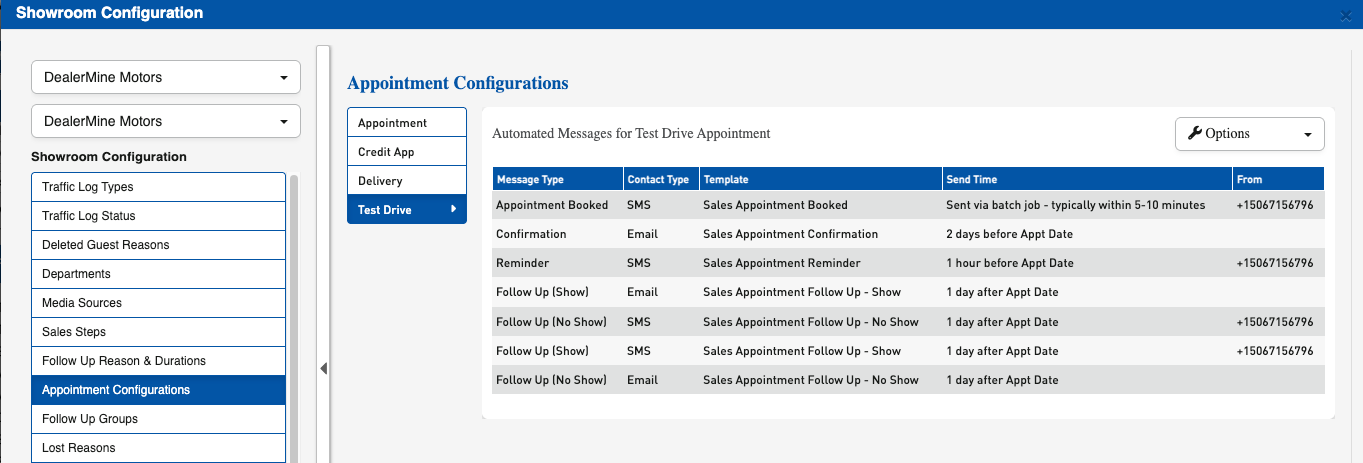
Custom Appointment Reasons
Dealerships can create their own appointment reasons such as:
Credit Application
Test Drive
Delivery
Any dealership-defined reason
These reasons can be marked as “Is Appointment” and used within automation rules.
How It Works
When an appointment event occurs, the system:
Detects the appointment stage
Checks if communication is enabled
Determines the contact method (Email or SMS)
Verifies the message hasn’t already been sent
Automatically sends and logs the message
All communication is recorded in the customer’s history for full visibility.
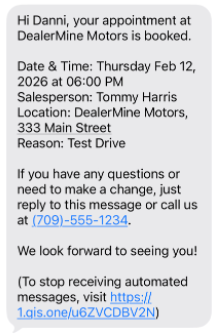
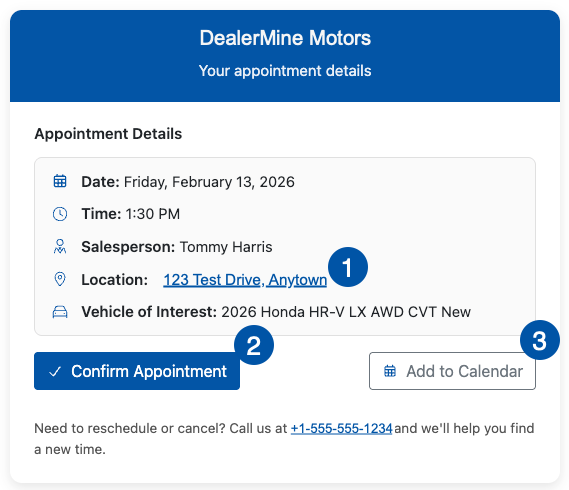
Customer-Friendly Enhancements
Emails now include:
Clickable location (opens default map app)
One-click appointment confirmation link
Add to Calendar button
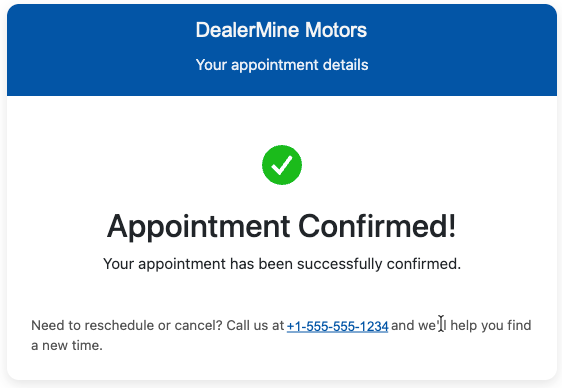
When a customer confirms:
The appointment updates automatically in DealerMine
The Work Plan reflects the confirmation - the confirmed checkbox is checked

For more information on setting up Sales Appointment Configurations, open the:
Sales Appointment Configuration User Doc
Sales CRM Fixes
Steps to the Sale on Dashboard now reflect the Full Customer Journey
Previously, the Steps to the Sale shown in dashboard drill‑through windows only displayed steps from the customer’s most recent visit (for example, their latest be-back)
If the customer had multiple visits, earlier completed steps were not shown in ht dashboard view - even though they were correctly recorded in Showroom History
What’s Improved?
The Steps to the Sale component now reflects the customer’s complete traffic lifecycle.
With this release, the dashboard now:
Combines steps from the original visit and all return visits (be-backs)
Displays each sales step only once
Shows the user and date/time from the first time that step was completed
Showroom History continues to log every instance of each step, including repeat actions, for full historical accuracy.
What This Means for You
If a customer walked in once and returned three additional times, the dashboard will now reflect the full journey across all four visits.
For example:
If a Test Drive was completed during the first visit and repeated on later visits, the dashboard will display the Test Drive step once
The date shown will be the date of the first Test Drive
Repeated Test Drives will still appear in Showroom History
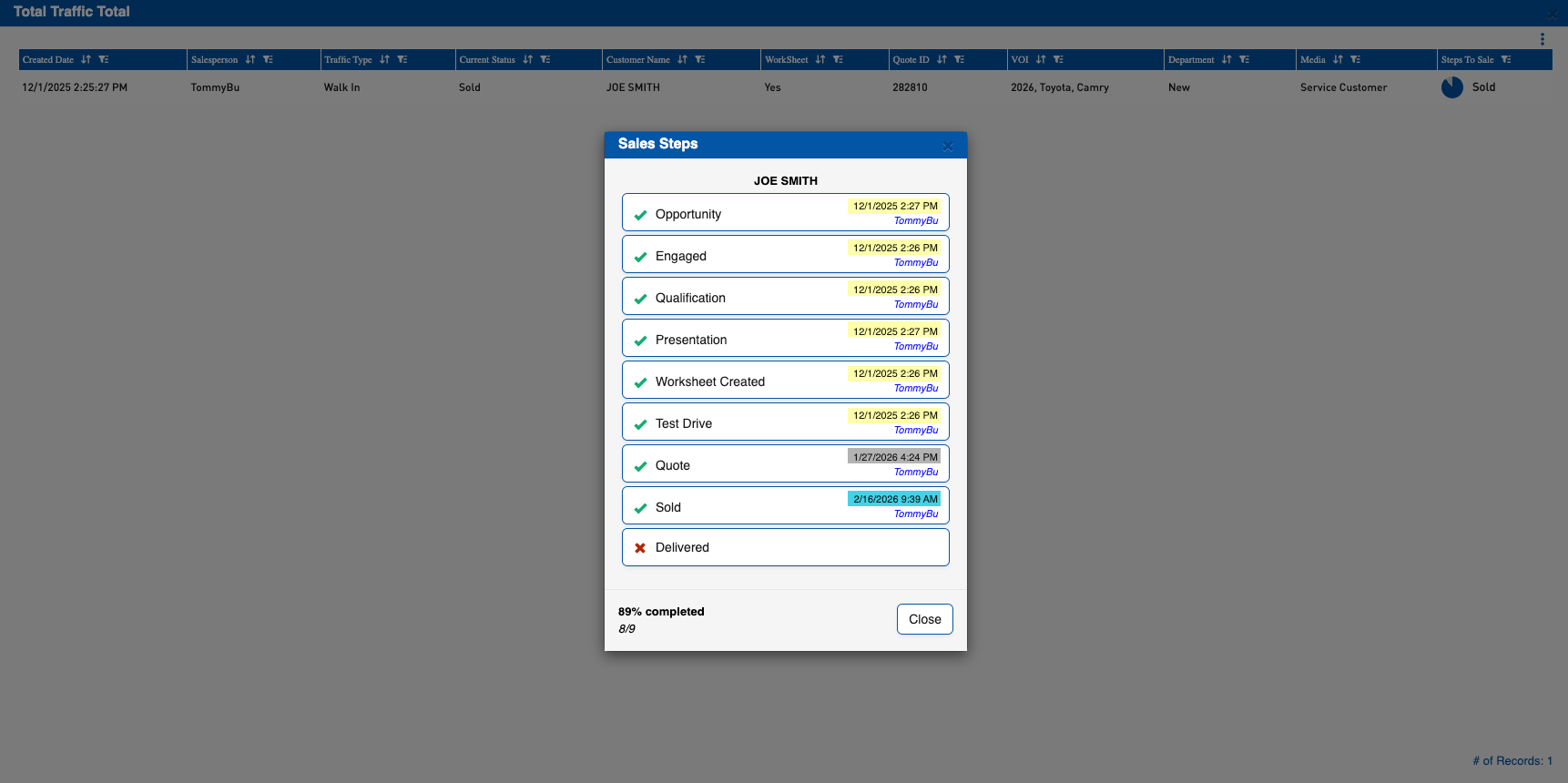
If a Test Drive was completed four times, the dashboard will not show 400% completion — it will reflect that the Test Drive step occurred in the lifecycle, while preserving all repeated activity in the historical record.

Did you like this update?


